What Is the Best YouTube Transcript Tool? A Friendly Guide for Creators, Students & Researchers
Top YouTube Transcript Generator Tools to Explore


In an era where video content leads the way, YouTube has become a major hub for learning, entertainment, and research. From step-by-step tutorials and online lectures to interviews and panel discussions, videos are filled with valuable information. However, watching an entire lengthy video isn’t always practical. That’s where YouTube transcripts come in handy.
YouTube transcript tools can save you time when you need to quote a video for research, turn video content into a blog post, improve accessibility, or quickly scan for key points. With so many tools on the market, though, choosing the right one can feel overwhelming.
This article walks through the best YouTube transcript tools available today, comparing their features, pros and cons, pricing, and ideal use cases, so you can easily find the option that works best for you.
Why YouTube Transcripts Matter
Before we dive into the tools, you can first quickly understand why transcripts are so useful:
Boost accessibility – Transcripts allow hearing-impaired users to fully understand video content and help non-native speakers follow along at their own pace. Readers can pause, reread, or translate text more easily than audio.
Improve searchability – With text, viewers can quickly scan a transcript to find specific topics, quotes, or timestamps instead of scrubbing through an entire video. This is especially helpful for long lectures, tutorials, or interviews.
Repurpose content easily – Creators and marketers can reuse transcripts to create blog posts, email newsletters, social captions, or video summaries. One video can support multiple content formats with very little extra effort.
Support learning and research – Students and researchers benefit from being able to highlight key points, copy quotes, and reference information accurately. Transcripts make studying faster and more efficient than replaying videos repeatedly.
Enhance SEO – Search engines can’t “watch” videos, but they can read text. Adding transcripts gives search engines more context, helping videos and related pages rank better and reach a wider audience.
With these benefits in mind, choosing the right YouTube transcript tool becomes especially important, particularly one that balances accuracy, speed, and ease of use.
How to Choose the Right YouTube Transcript Generator?
Now that you understand why YouTube transcripts matter, it’s time to explore the top tool solutions featured in this post. Before diving in, it helps to know how to choose the right YouTube transcript generator. So, what should you look for? To guide you, here are the key factors that define a “good” transcript tool. Since no single tool fits every workflow, the right choice depends on a few important considerations.
Accuracy and audio handling – Accuracy is the most important factor when choosing a YouTube transcript tool. Most tools work best with clear audio, standard accents, and minimal background noise. If you frequently transcribe interviews, lectures, or tutorials, high accuracy should be your top priority.
Ease of use – A good transcript tool should be straightforward. In most cases, you should be able to paste a YouTube link, click a button, and get a clean transcript without dealing with complicated setups or manual uploads.
Export and reuse options – Look for tools that allow you to export transcripts in formats such as TXT, SRT, or PDF. This is especially useful if you plan to edit the text, add subtitles, quote sections, or repurpose the content.
Pricing and limits – Many transcript tools offer free plans, but these often come with time limits or feature restrictions. If you transcribe videos regularly, transparent pricing and flexible usage limits are important.
Intended use – Some tools are built specifically for YouTube videos, while others are general transcription platforms. If YouTube is your primary source, a dedicated YouTube transcript generator usually offers a smoother and more efficient experience.
Keeping these factors in mind will make it much easier to evaluate the tools below and choose the one that fits your needs.
Top YouTube Transcript Tools Compared
1. RecCloud
Best for: Students, creators, researchers, and general users
Pricing: Free tier with optional paid plans
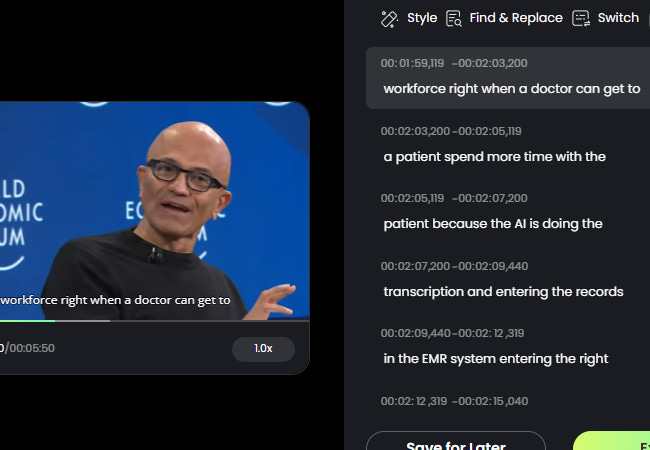
RecCloud is a dedicated YouTube transcript generator solution designed specifically for YouTube transcription. Paste a video link, and it produces accurate, editable text that can be copied or exported as an SRT file.
Pros
Fast and reliable transcription
Beginner-friendly interface
Provides transcript with timestamps
Direct text or transcript editing within the tool
SRT download is free
Cons
Free usage has credit limits
Full experience requires a paid plan
2. NoteGPT
Best for: Quick notes and summaries from videos
Pricing: Free and paid options
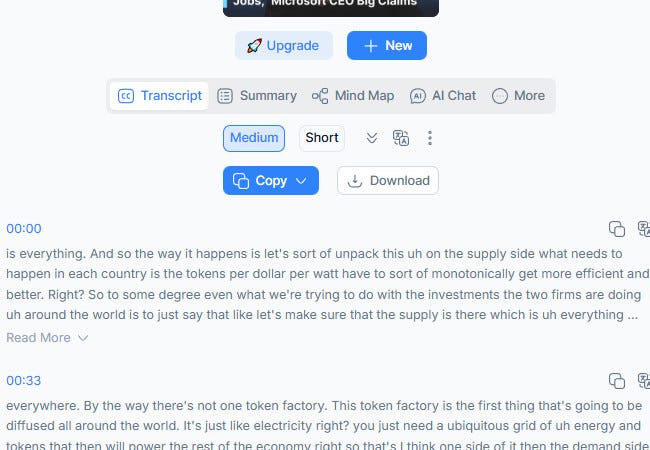
NoteGPT generates transcripts with AI summarization features, which makes it useful for extracting key points quickly. It’s especially helpful for students or professionals who want condensed notes alongside full transcripts.
Pros
Summarization helps highlight key points
Simple interface with link-based input
Export transcripts in multiple formats
Cons
Free tier has limitations
Won’t let you download the transcript unless you are logged in to an account.
3. Maestra
Best for: Professional workflows and team use
Pricing: Paid plans with free trial
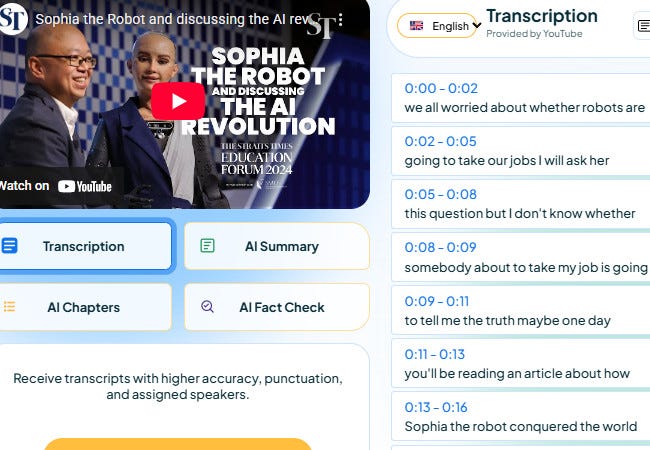
Maestra is a feature-rich platform for converting YouTube videos to text. It includes advanced editing tools, timestamps, and supports longer videos, making it ideal for marketers, researchers, and creators working on detailed projects.
Pros
Handles long videos and multi-speaker content
Offers timestamps and advanced formatting
Integrates with professional workflows
Cons
Paid plans are required for full access
Slightly steeper learning curve for beginners
4. Noteey
Best for: Fast and simple transcript extraction
Pricing: Free and premium options available
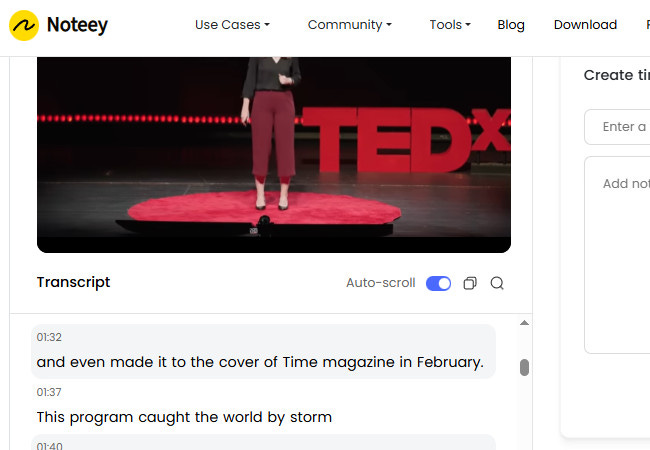
Noteey focuses on speed and ease of use, providing straightforward, accurate transcripts from YouTube links without complex setups. It’s great for students, bloggers, and casual users who want quick results.
Pros
Very user-friendly interface
Quick transcript generation
Free version available
Basic export options
Cons
Limited advanced features
Won’t let you edit the generated text
Accuracy may vary with lower-quality audio
Which Tool Is Best for Different Users?
Students & Researchers: RecCloud or NoteGPT for quick, accurate transcripts and note-taking.
Content Creators: RecCloud for repurposing scripts into blogs, captions, or newsletters.
Professional Teams: Maestra for multi-speaker videos, timestamps, and detailed workflow integration.
Occasional Users: NoteGPT’s free tier or RecCloud’s basic plan works for short videos.
Conclusion
There’s no perfect tool for everyone, but for most people, RecCloud’s YouTube transcript generator is a great all-around choice. It’s accurate, easy to use, and flexible with exports, which makes it ideal for students, creators, and researchers.
If you want quick summaries with your transcripts, NoteGPT is a good option. Maestra works well for team or professional use, and Noteey is best for simple, quick transcripts.
Once you understand what you need, it’s much easier to choose a tool that saves time, boosts productivity, and helps you get more value from every YouTube video.
It's interesting how this guide really nails why transcripts are so cruical, especially since I'm always thinking about how they feed into AI for deeper content analise and improved accessibility, such a game changer.